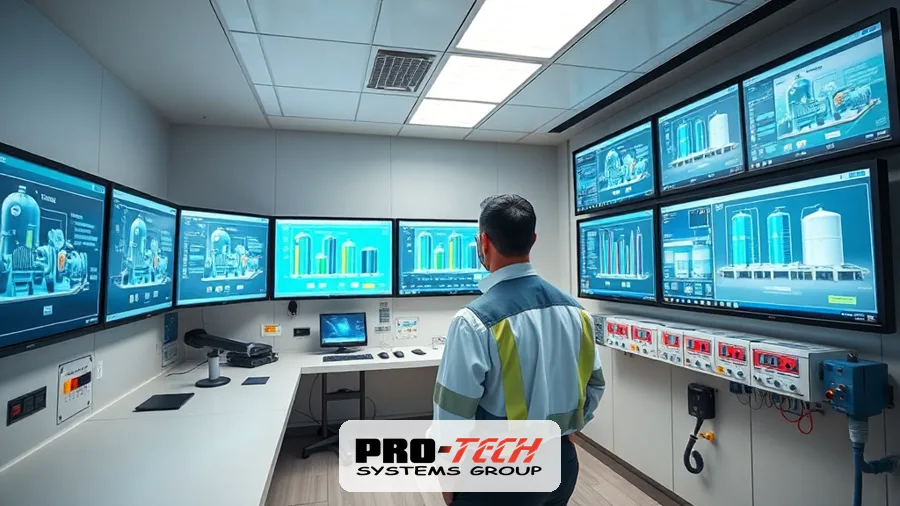
A SCADA system upgrade becomes urgent the moment your control platform stops receiving security patches, spare parts get scarce, or an operator waits minutes for a screen to refresh. This guide is written for water, wastewater, and manufacturing operators running aging or obsolete SCADA (supervisory control and data acquisition), PLC (programmable logic controller), and DCS (distributed control system) equipment. It answers two questions: how to recognize the warning signs, and how to modernize without shutting down production.
Key Takeaways
- A SCADA system upgrade is due when your platform runs an unsupported operating system, because vendors stop issuing security patches after end-of-life and every unpatched day widens the attack surface.
- Most plants can migrate without downtime by running the old and new systems in parallel, then cutting over one process area at a time during low-demand windows.
- The seven strongest warning signs are unsupported hardware or OS, scarce spare parts, no patch path, integration limits, rising unplanned downtime, no secure remote access, and painful compliance reporting.
- A phased SCADA migration for a mid-sized water or wastewater utility typically runs 4 to 12 months and keeps the plant online the entire time, versus a rip-and-replace that requires a full shutdown.
- A SCADA upgrade modernizes the operator-facing software, servers, and networking, while a PLC migration replaces the field controllers that execute the actual control logic, and the two are often planned together.
What a SCADA System Upgrade Actually Involves
A SCADA system upgrade replaces or modernizes the software, servers, network, and often the field controllers that monitor and control a plant. The SCADA layer includes the HMI (human-machine interface) screens operators watch, the historian that stores process data, the servers running the SCADA application, and the communication links to field devices. A full modernization touches all of these, plus the RTUs (remote terminal units) and PLCs in the field and the network hardware that connects them.
The scope varies. A software-only refresh moves you from an unsupported SCADA version to a current one on new servers. A deeper project replaces obsolete PLCs, adds a redundant historian, segments the control network, and introduces secure remote access. Deciding scope starts with an honest assessment of what is failing and what is merely aging, which we cover below.
The 7 Warning Signs You Need a SCADA system upgrade

1. Unsupported Hardware, OS, and Vendor End-of-Life
The clearest signal is software or hardware the vendor no longer supports. When a SCADA package or its underlying operating system reaches end-of-life, the vendor stops shipping security fixes, driver updates, and technical support. Systems still running Windows 7 or Server 2008, or a SCADA version two or three releases behind, fall into this category. Once support ends, a single compatibility problem or security flaw can idle the plant with no official remedy.
2. Spare Parts Are Scarce or Expensive
When replacement PLCs, I/O cards, or processors are only available through brokers or at inflated prices, the platform is past its service life. Obsolete controllers often carry lead times of weeks and cost several times their original price on the secondary market. That is a direct operational risk: a single failed processor can stop a process until a part arrives.
3. Security Gaps With No Patch Path
If your control system cannot be patched, it cannot be defended. Legacy SCADA often runs flat networks with no segmentation, default credentials, and protocols that were never designed for security. Water and wastewater systems are named critical infrastructure, and federal advisories through CISA’s Industrial Control Systems program regularly document exploited weaknesses in exactly these environments. No patch path means the only fix is modernization.
4. Integration Limits With Modern PLCs, Instruments, and Historians
A SCADA system upgrade is warranted when the platform cannot talk to modern equipment. Older systems frequently lack support for current protocols such as OPC UA, EtherNet/IP, or MQTT, which blocks new smart instruments, flow meters, and analyzers from reporting data. If adding one new sensor requires a custom driver or a protocol converter, the platform is holding back the rest of the plant.
5. Rising Unplanned Downtime
Increasing unplanned outages are a measurable sign that the system is failing. Aging servers, failing drives, and brittle software cause more frequent lockups, and each event costs production, overtime, and sometimes regulatory exposure. When maintenance staff spend more hours restarting the SCADA system than improving the process, the arithmetic favors replacement.
6. No Secure Remote Access
If engineers cannot safely reach the system from outside the control room, response times suffer. Modern operations expect encrypted, authenticated remote access with logging and multi-factor authentication. Legacy setups either offer no remote access or, worse, an unsecured connection that becomes an entry point. A modern platform builds remote access in with proper access controls.
7. Painful Compliance and Regulatory Reporting
When producing a monthly compliance report means manually pulling data from screens or spreadsheets, the system is costing staff time and inviting errors. Water and wastewater utilities file regular reports to state and federal regulators, and standards bodies such as the American Water Works Association publish guidance on data management and cybersecurity for utilities. A current SCADA historian automates reporting, timestamps data reliably, and produces auditable records.
SCADA Migration Options: Rip-and-Replace, Phased, and Hybrid
There are three broad paths to a SCADA system upgrade, and the right one depends on how much downtime your process can absorb.
Rip-and-replace removes the old system and installs the new one during a planned shutdown. It is the fastest to complete and the cleanest technically, but it requires the plant to be offline, which is rarely acceptable for a water utility that must keep supplying its service area.
Phased migration modernizes the plant in stages, keeping the old system running while new equipment is installed and validated area by area. It takes longer overall but keeps the plant online, which is why it is the common choice for continuous operations.
Hybrid migration combines the two. Non-critical areas move in phases while a single low-demand window handles the pieces that genuinely require a brief pause. It balances schedule against risk.
A separate but related decision is PLC and DCS migration. A SCADA upgrade changes what operators see and how data is stored, while a PLC migration replaces the controllers running the control logic in the field. For a review of current controller platforms, see our guide to the top industrial automation PLCs. DCS migration follows similar principles but usually involves tighter coupling between control and process, so parallel operation and staged cutover matter even more.
| Factor | Rip-and-Replace | Phased Migration |
|---|---|---|
| Downtime | Full plant shutdown required | Little to none; runs in parallel |
| Risk | Higher; everything changes at once | Lower; validated area by area |
| Cost | Often lower upfront labor | Higher labor over a longer window |
| Timeline | Shortest calendar time | Longer, spread across months |
| Best fit | Small systems or seasonal shutdowns | Water, wastewater, continuous plants |
How to Phase a SCADA Upgrade Without Downtime
A SCADA system upgrade can be completed with little or no production interruption when it is sequenced carefully. The method below keeps the existing system in control until each new piece is proven.
Start With Assessment and As-Built Documentation
Every successful migration starts with an accurate picture of what exists. That means auditing every PLC, RTU, I/O point, network segment, and screen, then producing current as-built drawings. Many legacy plants have documentation years out of date, and closing that gap prevents surprises during cutover.
Run the Old and New Systems in Parallel
The core of a no-downtime upgrade is parallel operation. The new SCADA servers, historian, and network are installed alongside the running system and fed live data, so engineers can validate screens, alarms, and trends against the production system before anything is switched. Nothing controls the process until it has been verified.
Stage the Cutover During Low-Demand Windows
Cutover happens one process area at a time, scheduled for periods of low demand such as overnight for a water plant or between production runs in a factory. Moving a single area at a time keeps the blast radius small, so any issue affects one part of the plant rather than all of it.
Test With Factory and Site Acceptance Testing
Testing happens twice. Factory acceptance testing (FAT) validates the new system against simulated I/O before it ever reaches the plant, and site acceptance testing (SAT) confirms it works against real field devices once installed. This two-stage testing catches configuration and logic errors while they are cheap to fix.
Keep a Rollback Plan Ready
Every cutover step needs a tested way back. Before any area is switched, the team documents how to revert to the previous system quickly if something behaves unexpectedly. A rollback plan is what makes a live cutover safe rather than a gamble.
Talk to Pro-Tech Systems Group about your SCADA or PLC migration. Our engineers can assess your current platform, map a phased path that keeps your plant online, and give you a realistic scope before any work starts. Reach out to start with an assessment rather than a rip-out.
How Pro-Tech Systems Group Approaches Modernization
Pro-Tech Systems Group treats SCADA modernization as a staged engineering project, not a product swap. As a control systems integrator serving municipal water and wastewater utilities and manufacturers across the eastern United States, PTSG begins with an assessment and as-built review, then designs a migration that keeps the plant running throughout. The work covers SCADA software, PLC and DCS migration, network segmentation, historian setup, and secure remote access, tied together so operators are not left stitching separate systems.
Because PTSG is vendor-experienced across major PLC and SCADA platforms, the design targets what fits the plant rather than a single brand. For utilities standing up SCADA for the first time or rebuilding from the ground up, our SCADA implementation in water treatment guide walks through the same principles applied to greenfield projects. Industry standards from the International Society of Automation inform the security and integration approach throughout.
Realistic Cost and Timeline Expectations
A SCADA system upgrade is scoped in months, not weeks, and cost tracks the size and complexity of the plant. A software-and-server refresh for a small system can finish in a few months, while a full modernization that replaces obsolete PLCs, segments the network, and adds a redundant historian for a mid-sized utility commonly runs 4 to 12 months of phased work. Rip-and-replace compresses that calendar but demands a shutdown that most water and wastewater plants cannot take.
Budget depends on the number of I/O points, how many controllers are being migrated, the state of existing documentation, and whether field wiring is reused. The assessment phase exists to turn those variables into a firm number before commitment. A well-planned phased upgrade also spreads spending across a longer period, which helps capital budgeting.
Frequently Asked Questions
How do I know if my SCADA system needs upgrading?
Your SCADA system needs upgrading when it runs an unsupported operating system, spare parts are hard to source, it cannot be patched, or unplanned downtime is rising. Any one of these is a strong signal, and two or more together make a SCADA system upgrade the lower-risk choice. The most reliable way to confirm is an assessment that inventories every controller, I/O point, and network segment against current support and security standards.
Can you upgrade SCADA without shutting down the plant?
Yes. A phased migration installs the new SCADA system alongside the running one, validates it against live data in parallel, then cuts over one process area at a time during low-demand windows. Because the existing system stays in control until each new piece is proven, most water, wastewater, and manufacturing plants complete the upgrade with little or no interruption.
How long does a SCADA migration take?
A SCADA migration typically takes 4 to 12 months for a mid-sized water or wastewater utility using a phased approach. A software-and-server-only refresh can be faster, while a full modernization that also replaces PLCs and segments the network sits at the longer end. The timeline depends on plant size, the number of controllers migrated, and the quality of existing documentation.
What is the difference between a SCADA upgrade and a PLC migration?
A SCADA upgrade modernizes the operator-facing software, servers, historian, and network, while a PLC migration replaces the field controllers that execute the control logic. The SCADA layer is what operators see and how data is stored, and the PLC layer is what actually runs the process. The two are frequently planned and executed together, since aging SCADA and aging PLCs usually reach end-of-life around the same time.
How much does a SCADA system upgrade cost?
Cost depends on the number of I/O points, how many controllers are being migrated, the condition of existing documentation, and whether field wiring can be reused. A software-and-server refresh costs far less than a full modernization that replaces obsolete PLCs and adds a redundant historian. The assessment phase exists to convert these variables into a firm budget before any work is committed.
Will a new SCADA system work with our existing PLCs and instruments?
In most cases, yes, and preserving working field equipment is a common way to control cost. A modern SCADA platform supports current protocols such as OPC UA and EtherNet/IP, and integrators can add gateways for older devices that are still reliable. The assessment identifies which PLCs and instruments to keep, which to migrate, and which to retire, so you replace only what needs replacing.
Is a phased migration or rip-and-replace better for a water utility?
A phased migration is usually better for a water utility because it keeps the plant supplying its service area throughout the project. Rip-and-replace is faster on the calendar but requires a full shutdown that most utilities cannot accept. A hybrid approach fits when a few components genuinely need a short pause while the rest of the plant moves in stages.